College life can feel like a never-ending list of things to do. One day you are trying to finish an assignment, and the next you are studying for an exam while remembering that you also have a group project due tomorrow.
The good news is that your phone or laptop doesn’t have to be a distraction all the time. With the right tools, it can actually become one of your most useful study partners.
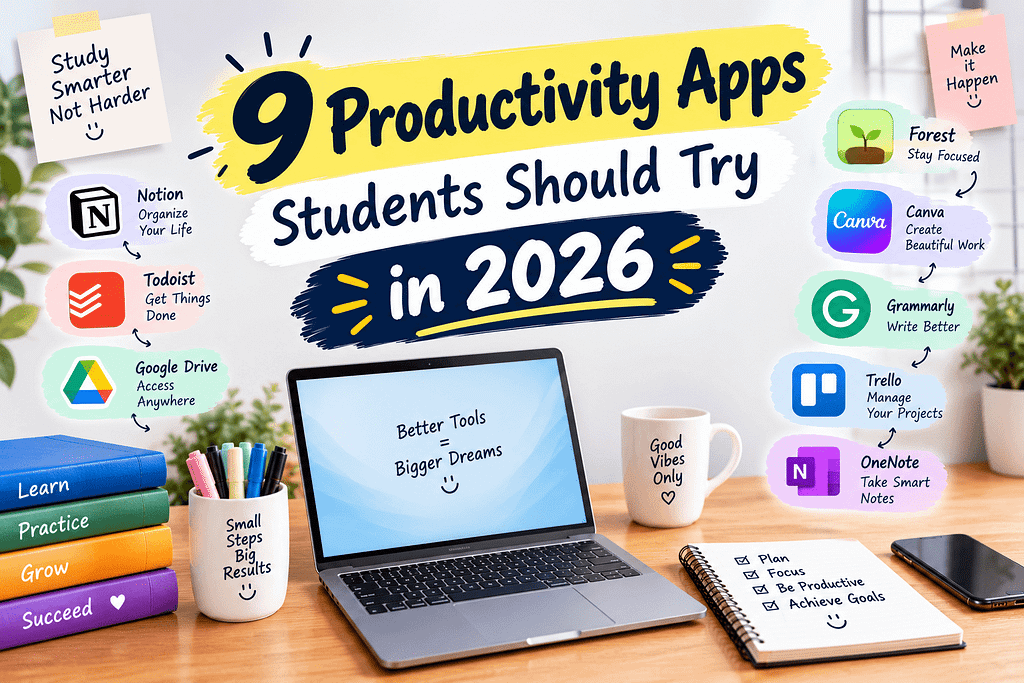
In this guide, we’re looking at 9 productivity apps students should try in 2026. These apps can help with everything from organizing assignments and taking notes to managing your calendar and staying focused.
The goal isn’t to download every productivity app you find. It’s to choose a few that solve real problems in your student life.
1. Notion – Keep Your College Life in One Place
If your notes, assignments, project ideas, and schedules are scattered across different apps, Notion can help bring everything together.
You can create pages for individual classes, maintain assignment lists, organize study notes, build tables, and create weekly planners.
For example, you could create one workspace with pages for:
- Class notes
- Assignment deadlines
- Exam schedules
- Project planning
- Reading lists
- Personal goals
Notion can be especially useful for students who like customizing their own organization system.
Best for: Notes, planning, project organization, and managing multiple classes.
2. Google Calendar – Stop Forgetting Deadlines
Sometimes productivity isn’t about doing more. It’s simply about remembering what needs to be done.
Google Calendar is useful for creating a visual schedule for classes, exams, assignments, work shifts, appointments, and personal activities.
Instead of keeping every deadline in your head, put it on your calendar.
A simple system could include:
- Class times
- Assignment deadlines
- Exam dates
- Study sessions
- Application deadlines
- Part-time work
You can also create recurring events for activities that happen every week.
Best for: Scheduling and deadline management.
3. Todoist – Turn Your To-Do List Into a System
A long list of tasks can quickly become overwhelming. Todoist makes it easier to break your workload into manageable tasks.
Instead of writing “finish economics project,” you could create smaller tasks such as:
- Find three sources.
- Read the sources.
- Create an outline.
- Write the introduction.
- Complete the first section.
- Proofread the final draft.
This approach makes large projects feel less intimidating.
Students can also organize tasks according to classes, priorities, and deadlines.
Best for: Assignment management and daily task lists.
4. Google Keep – Save Quick Notes Before You Forget
Have you ever had a great project idea while walking between classes and then completely forgotten it later?
Google Keep is useful for those quick thoughts.
You can create short notes, checklists, reminders, and voice notes. It works well when you don’t need a complicated productivity system.
You might use it for:
- Quick study reminders
- Grocery lists
- Assignment ideas
- Questions for professors
- Things to research later
- Personal reminders
It’s simple, which is actually part of its appeal.
Best for: Quick notes, reminders, and simple lists.
5. Forest – Make Your Study Sessions More Focused
One of the biggest productivity problems for students isn’t knowing what to do. It’s actually staying focused long enough to finish it.
Forest takes a simple approach to concentration. You start a focus session and avoid using your phone while you work.
The app uses a growing-tree concept to make focused time feel more visual and rewarding.
Try using it during a 25-minute study session. Put your phone away, choose one task, and work until the timer finishes.
You don’t need to study for five hours straight to be productive. Sometimes 25 genuinely focused minutes are better than two hours of distracted studying.
Best for: Focus and reducing phone distractions.
6. Grammarly – Improve Your Writing Before You Submit
College students write constantly—essays, emails, reports, applications, discussion posts, and presentations.
Grammarly can help identify grammar, spelling, punctuation, clarity, and style issues.
It can be particularly useful as a final editing step before submitting an assignment.
However, students shouldn’t treat writing tools as replacements for their own thinking. Your ideas, research, arguments, and academic work should remain your own.
Use a writing assistant to catch mistakes and improve clarity, then read the final version yourself.
Best for: Proofreading and improving written communication.
7. OneNote – Organize Detailed Class Notes
Microsoft OneNote is a strong option for students who prefer traditional digital notebooks.
You can create notebooks for different subjects and divide them into sections and pages.
This can be helpful if you take detailed lecture notes throughout the semester.
For example:
Notebook: Fall Semester
Section: Biology
Pages: Lecture 1, Lecture 2, Chapter 3, Exam Review
You can also combine typed notes, handwritten notes, images, and other study materials.
Best for: Detailed class notes and digital notebooks.
8. Trello – Make Group Projects Easier
Group projects can become messy when nobody knows who is responsible for what.
Trello uses boards, lists, and cards to visually organize tasks.
A student project board might include:
To Do → In Progress → Review → Completed
Each card can represent a task and include information about who is responsible for it.
This simple visual system can help teams understand what has been completed and what still needs attention.
Best for: Group projects and visual task management.
9. Canva – Create Better Presentations and Study Materials
Students often need to create presentations, posters, resumes, infographics, and other visual materials.
Canva offers templates that can make these tasks much easier, especially if graphic design isn’t your strength.
You can use it for:
- Class presentations
- Project posters
- Infographics
- Study sheets
- Resumes
- Social media projects
- Visual summaries
The key is not to overdesign everything. A clean presentation with readable text and a logical structure is usually better than a slide packed with effects.
Best for: Presentations, visual projects, and study materials.
How Should Students Choose Productivity Apps?
You don’t need all nine apps.
In fact, downloading too many productivity apps can create another problem: spending more time organizing your productivity system than actually doing your work.
Start with the problem you want to solve.
If you forget deadlines, try Google Calendar.
If your notes are disorganized, consider Notion or OneNote.
If you struggle with daily tasks, try Todoist.
If your phone constantly distracts you, experiment with Forest.
If you work on group projects, Trello may be useful.
And if you regularly create presentations or visual assignments, Canva can save time.
A Simple Student Productivity Setup
You could keep your system extremely simple:
Google Calendar: Important dates and schedule
Todoist: Daily tasks
Notion or OneNote: Class notes
Forest: Focus sessions
Canva: Presentations and visual assignments
That’s enough for many students.
The real benefit doesn’t come from having the most apps. It comes from using a small number of tools consistently.
Final Thoughts
These 9 productivity apps students should try in 2026 can make college life easier when they’re used with a clear purpose.
But remember: an app can’t study for you, finish your assignment, or magically create more hours in the day. What it can do is reduce some of the mental clutter surrounding your work.
Start small. Pick one problem in your student life and choose one app to solve it. Once that habit becomes natural, you can add another tool if you actually need it.
At Earnify05, we believe productivity isn’t about being busy every minute. It’s about making your limited time, energy, and money work smarter.