A few years ago, using AI at work might have meant asking a chatbot to write an email. In 2026, that’s only the beginning.
Professionals are now using AI to analyze spreadsheets, summarize meetings, research topics, organize projects, create presentations, automate repetitive workflows, write code, and handle information that would normally take hours to process.
Microsoft’s 2026 Work Trend Index found that nearly half of the activity analyzed in Microsoft 365 Copilot conversations involved cognitive work such as analyzing information, solving problems, evaluating options, and creative thinking.
That doesn’t mean AI should replace your judgment.
It means the right tools can take some of the repetitive work off your plate.
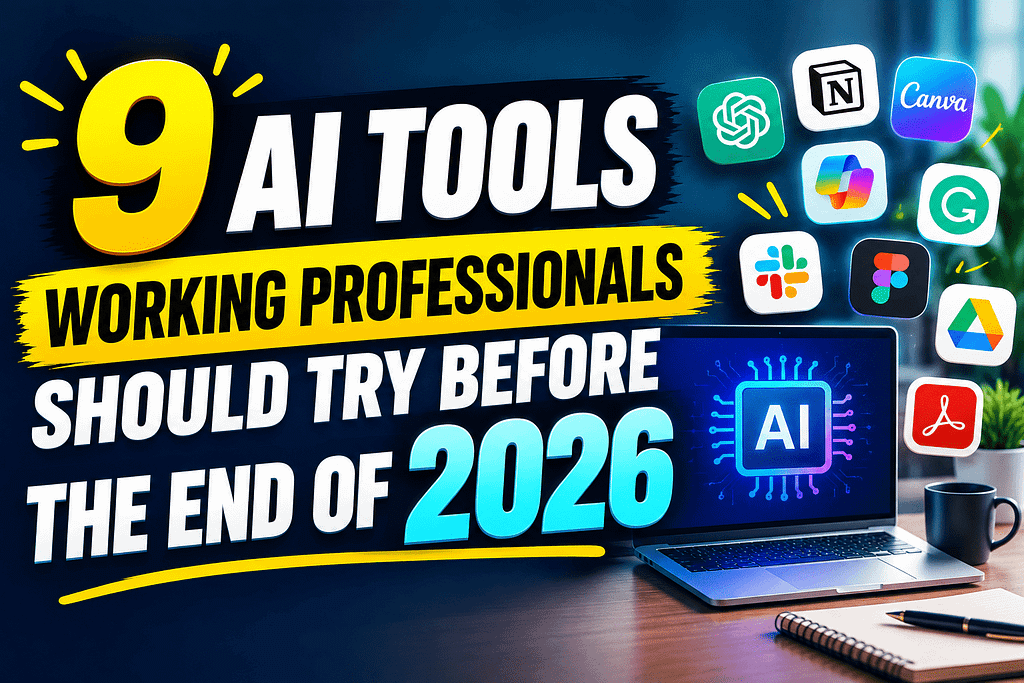
If you’re an employee, manager, freelancer, marketer, analyst, designer, entrepreneur, or other knowledge worker in the U.S., here are 9 AI tools for working professionals worth trying before 2026 ends.
1. ChatGPT — Your General-Purpose AI Work Assistant
If you only experiment with one AI tool this year, a general-purpose assistant is a logical place to start.
ChatGPT can help professionals brainstorm ideas, summarize information, draft emails, explain complicated concepts, analyze documents, generate outlines, write and review code, and turn rough notes into more organized content.
The biggest advantage isn’t simply getting an answer.
It’s being able to start with something messy.
For example, you could give it meeting notes and ask it to turn them into:
- Action items
- A project summary
- Follow-up questions
- An email draft
- A task checklist
The trick is to treat the output as a starting point rather than blindly copying it.
Best for: Writing, brainstorming, research, analysis, planning, coding, and everyday productivity.
2. Microsoft 365 Copilot — Best for Microsoft Office Users
If your workplace already lives inside Word, Excel, PowerPoint, Outlook, and Teams, Microsoft 365 Copilot deserves attention.
Microsoft says Copilot can help draft documents in Word, analyze data in Excel, create presentations in PowerPoint, summarize email conversations in Outlook, and capture meeting insights in Teams.
That makes it particularly interesting for office professionals who spend a large portion of their day inside Microsoft 365.
Imagine finishing a meeting and having AI help organize the discussion into decisions, action items, and follow-ups.
Or imagine opening a complicated spreadsheet and using AI to help identify trends instead of manually searching through every row.
Best for: Corporate employees, analysts, managers, project teams, and Microsoft 365 users.
3. Google Gemini — Great for Google Workspace Users
For professionals working primarily with Gmail, Google Docs, Sheets, Meet, and other Workspace apps, Gemini can fit naturally into an existing workflow.
Google says Gemini is integrated across Workspace applications and can help with writing, meetings, collaboration, and repetitive work.
This is useful if your workday already revolves around Google’s ecosystem.
For example, you could use AI assistance to help draft an email, summarize information, prepare a document, or organize meeting notes.
Google has also been expanding its broader Workspace Intelligence approach, designed to connect work context and information across tools rather than treating every task as an isolated prompt.
Best for: Google Workspace users, remote teams, marketers, managers, and small businesses.
4. Claude — Useful for Long Documents and Detailed Work
Some work doesn’t fit into a quick question-and-answer format.
Maybe you have a lengthy report, complicated instructions, a large collection of notes, or a document that requires careful editing.
Claude is worth testing for those types of tasks.
Professionals can use it to brainstorm, analyze documents, improve writing, organize ideas, explain technical information, and work through complex problems.
A practical approach is to give the AI context first.
Instead of saying:
“Improve this report.”
Try:
“Review this report as a business manager. Identify unclear sections, repetitive points, missing information, and areas where the recommendation could be stronger.”
The quality of the result often improves when you explain the role and desired outcome.
Best for: Long-form writing, document analysis, research, brainstorming, and complex reasoning.
5. Notion AI — Turn Your Workspace Into a Smarter Knowledge Hub
If your team uses Notion for notes, projects, documentation, or company knowledge, Notion AI can help reduce the time spent searching through information.
Think about how often professionals ask:
“Where did we put that?”
“What did we decide during that meeting?”
“Which tasks are still unfinished?”
AI-powered search and workspace assistance can make those questions easier to answer when your information is already organized inside the platform.
This can be particularly useful for remote teams where important information is spread across project pages, meeting notes, documents, and databases.
Best for: Project management, documentation, remote teams, knowledge management, and startups.
6. Grammarly — Your AI Writing Editor
Even excellent professionals make writing mistakes.
An unclear email can create unnecessary back-and-forth. A confusing proposal can weaken an otherwise strong idea.
Grammarly can help professionals improve grammar, clarity, tone, and overall communication.
The useful part isn’t simply correcting spelling.
You can use AI writing assistance to ask:
- Does this email sound too aggressive?
- Can this explanation be clearer?
- Can I make this message more concise?
- Does this proposal sound professional?
- Can you rewrite this for an executive audience?
For professionals who write dozens of emails and documents every week, that can become a meaningful time saver.
Best for: Emails, reports, proposals, presentations, customer communication, and business writing.
7. Zapier — Automate the Repetitive Stuff
This is where AI productivity becomes more interesting.
Zapier connects applications and automates workflows, allowing professionals to reduce repetitive manual steps.
For example, imagine a process where:
A customer fills out a form → information goes into a spreadsheet → a notification is sent → a task is created → a follow-up email is drafted.
Instead of manually performing every step, automation can connect the process.
AI can also help with tasks such as summarizing, classifying, drafting, and handling information within automated workflows.
This is especially useful for small businesses and professionals who repeatedly perform the same administrative tasks.
Best for: Automation, marketing, sales operations, customer support, and small businesses.
8. GitHub Copilot — A Productivity Boost for Developers
Software developers have some of the clearest opportunities to use AI at work.
GitHub Copilot can help with coding, explanations, suggestions, debugging, and other parts of the development workflow.
But the important distinction is this:
AI-generated code still needs a human developer.
A professional developer should review the code, test it, understand what it does, and consider security and maintainability before putting it into production.
AI is most useful when it reduces repetitive coding work while leaving important engineering decisions with the developer.
Microsoft’s 2026 research also highlights the growth of AI-assisted and agentic coding workflows, showing how development tools are moving beyond simple autocomplete toward more multi-step tasks.
Best for: Software developers, programmers, engineering teams, and technical professionals.
9. NotebookLM — A Different Way to Work With Your Sources
Sometimes the hardest part of research isn’t finding information.
It’s understanding the information you’ve already collected.
NotebookLM is designed around working with source material. Google describes it as a research assistant that can use documents you provide to summarize information, find connections, and create different ways of exploring the material.
That can be useful for professionals dealing with reports, research documents, meeting materials, manuals, or other source-heavy work.
Instead of asking a general AI about a topic and hoping it knows the right context, you can work from the material that matters to your project.
Best for: Researchers, consultants, students, analysts, managers, and professionals working with lots of documents.
Which AI Tool Should You Try First?
You don’t need nine new subscriptions.
That’s one of the biggest mistakes professionals make with productivity software.
Start with the tool that fits the work you already do.
| Your Work | Tool to Try |
|---|---|
| General productivity | ChatGPT |
| Microsoft Office | Microsoft 365 Copilot |
| Google Workspace | Gemini |
| Long documents | Claude |
| Team knowledge | Notion AI |
| Business writing | Grammarly |
| Workflow automation | Zapier |
| Software development | GitHub Copilot |
| Source-based research | NotebookLM |
The goal isn’t to collect AI tools.
The goal is to remove friction from your workday.
How Working Professionals Should Start Using AI
Don’t try to automate your entire job on day one.
Instead, look at your last five workdays.
Ask yourself:
What tasks did I repeat?
Maybe it was writing similar emails.
Maybe you spent hours creating reports.
Maybe you repeatedly summarized meetings.
Maybe you copied information between applications.
Maybe you spent 30 minutes every morning organizing your inbox.
Those are potential AI use cases.
Start with one small task.
Test the result.
Check the quality.
Then decide whether it’s actually saving time.
This approach matters because AI adoption doesn’t automatically create business value. McKinsey’s 2026 research found that while many organizations are experimenting with AI, relatively few have successfully scaled it across the enterprise.
In other words, using AI isn’t the finish line. Using it well is.
Don’t Let AI Replace Your Judgment
There’s an important warning here.
AI can be incredibly useful, but it can also make mistakes.
Don’t automatically trust an AI-generated financial analysis, legal document, customer communication, technical solution, or business recommendation without checking it.
Your experience is still valuable.
In fact, as AI becomes more capable, professional judgment may become even more important.
Microsoft’s 2026 research describes this shift as AI taking on more execution while humans retain greater responsibility for directing work, making decisions, and owning outcomes.
That’s a better way to think about workplace AI.
Don’t ask, “How can AI do my job?”
Ask:
“Which parts of my job can AI help me do better?”
Final Thoughts
The best AI tools for working professionals aren’t necessarily the flashiest ones.
They’re the tools that solve an annoying problem you deal with every week.
If you’re constantly writing emails, try an AI writing assistant.
If you work in Excel, explore Copilot.
If you’re buried in Google Workspace, test Gemini.
If you’re repeating the same administrative process, look at automation.
If you’re a developer, experiment with AI coding assistance.
And if you’re drowning in documents, try source-based AI research.
You don’t need to become an AI expert overnight.
Start with one tool, one workflow, and one measurable improvement.
That’s how AI becomes more than another productivity trend—and actually becomes useful.
Earnify05 is about finding practical ways to work smarter, build valuable skills, and make better use of modern technology. The professionals who learn how to combine AI with their own judgment may have a significant advantage as workplace technology continues to evolve.
Frequently Asked Questions
What are the best AI tools for working professionals in 2026?
Some useful options include ChatGPT, Microsoft 365 Copilot, Google Gemini, Claude, Notion AI, Grammarly, Zapier, GitHub Copilot, and NotebookLM. The best choice depends on your role and existing software.
Can AI really save professionals time?
Yes, particularly for repetitive tasks such as drafting, summarizing, organizing information, analyzing documents, and moving information between applications. However, the actual time saved depends on the workflow and how effectively the tool is used.
Should employees use AI at work?
If their employer allows it, AI can be useful for productivity, research, writing, analysis, and repetitive tasks. Employees should follow company policies and avoid entering confidential or sensitive information into tools that aren’t approved for workplace use.
Will AI replace working professionals?
AI is changing many job tasks, but that doesn’t mean every profession will disappear. Human judgment, communication, domain expertise, creativity, accountability, and decision-making remain important. The more practical goal is learning how to work effectively with AI.
What is the easiest AI tool for beginners?
A general-purpose AI assistant such as ChatGPT is a simple starting point because it can be used for many different tasks. Professionals can experiment with one workflow at a time rather than trying to learn everything at once.