Have you ever looked at the clock at 5 p.m. and realized you spent most of your day answering emails, updating spreadsheets, writing meeting summaries, copying information between apps, or doing the same report you’ve already created ten times?
You’re not alone.
A large part of modern office work isn’t necessarily difficult. It’s repetitive.
That’s where AI can become genuinely useful.
Instead of thinking about AI as something that will magically do your entire job, think of it as a digital assistant that can take repetitive steps off your plate.
Today’s AI tools can help employees summarize information, draft emails, organize data, create workflows, prepare meetings, and connect different workplace applications. Microsoft, Google, and Zapier are all expanding AI-powered workflow automation aimed at reducing routine work.
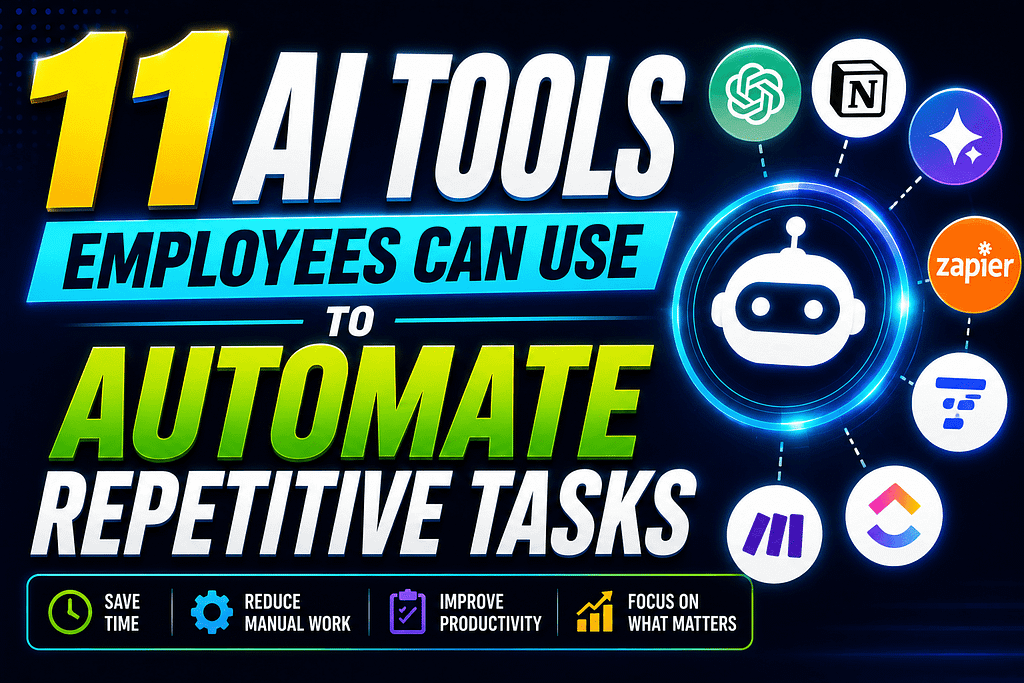
Here are 11 AI tools employees can use to automate repetitive tasks in 2026.
1. Microsoft 365 Copilot
If your workplace already uses Microsoft 365, Copilot is one of the most natural places to start.
It can assist with everyday work inside tools such as Word, Excel, Outlook, and Teams.
Employees can use it for tasks such as:
- Drafting emails
- Summarizing long email threads
- Creating document drafts
- Analyzing spreadsheet information
- Summarizing meetings
- Creating action items
- Preparing presentations
Microsoft is also expanding Copilot’s workflow and agent capabilities, allowing supported workflows to be created using natural-language instructions.
Best for: Employees who spend most of their day inside Microsoft 365.
2. Google Gemini for Workspace
Google Workspace users have a similar option with Gemini.
If your company relies heavily on Gmail, Google Docs, Sheets, Meet, and Drive, Gemini can help reduce the amount of manual work involved in everyday tasks.
For example, employees can use AI to help draft messages, summarize information, organize project details, analyze spreadsheet data, and prepare documents.
Google’s Workspace Studio also allows users to create AI-powered workflows using natural-language instructions, including flows that summarize meeting notes and draft follow-up communication.
Best for: Teams already using Google Workspace.
3. Zapier
Zapier is particularly useful when repetitive work involves multiple applications.
Think about this workflow:
New form submission → add information to spreadsheet → create CRM contact → notify Slack → send follow-up email.
Doing this manually every time gets boring very quickly.
Zapier connects apps through automated workflows called Zaps. Its current AI features can help users build workflows and add AI steps for tasks such as summarizing, classifying, drafting, and decision-making.
With thousands of app integrations, it can become a central automation layer for many workplace processes.
Best for: Employees who repeatedly move information between different apps.
4. ChatGPT
ChatGPT can be useful for far more than asking questions.
Employees can use it as a productivity assistant for repetitive knowledge work.
For example:
- Turn rough notes into polished emails
- Summarize lengthy text
- Create first drafts
- Rewrite documents
- Generate spreadsheet formulas
- Brainstorm ideas
- Convert notes into action lists
- Analyze uploaded information
The key is to treat the output as a first draft rather than blindly accepting everything it produces.
For sensitive company information, always follow your employer’s AI and data-security policies.
Best for: Writing, research, brainstorming, summarization, and everyday knowledge work.
5. Claude
Claude can be particularly useful when you’re working with large amounts of text.
Employees might use it to summarize reports, compare documents, organize research, brainstorm content, or turn messy notes into a clearer structure.
Imagine receiving a 30-page internal document and needing to understand the important points before a meeting.
Instead of manually searching through every page, AI can help produce an initial summary and identify areas worth reviewing.
You should still verify important details before using AI-generated information in professional decisions.
Best for: Document-heavy jobs, research, writing, and analysis.
6. Notion AI
If your team uses Notion as a workspace, Notion AI can help turn the platform into more than a place for storing notes.
Employees can use it to summarize pages, organize information, draft content, and work with project documentation.
One useful application is turning messy meeting notes into structured action items.
Instead of leaving a meeting with several pages of scattered notes, you can transform them into:
Task → Owner → Deadline → Next Step
That small change can make project management much easier.
Best for: Teams managing projects, documentation, notes, and internal knowledge.
7. Grammarly
Grammarly is useful for employees who spend a large portion of their day writing.
Think about how many messages you send every week:
Emails.
Slack messages.
Reports.
Proposals.
Customer responses.
Internal updates.
Grammarly’s AI features can help with rewriting, tone, clarity, and drafting.
Instead of repeatedly rewriting the same sentence to make it sound professional, employees can use AI assistance to get a stronger first draft.
Best for: Communication-heavy jobs.
8. Otter.ai
Meetings can create a surprising amount of administrative work.
Someone has to take notes, identify important decisions, remember action items, and send a follow-up.
AI meeting assistants such as Otter.ai can help automate parts of this process through transcription and meeting summaries.
That means employees can spend more time participating in a discussion instead of constantly trying to write down every sentence.
Of course, employees should follow company policies and applicable consent requirements before recording or transcribing meetings.
Best for: Managers, sales teams, recruiters, consultants, and meeting-heavy employees.
9. Canva AI
Not every employee is a professional designer.
Yet many jobs require employees to create presentations, social graphics, internal announcements, reports, or marketing materials.
Canva’s AI-powered features can speed up the process of turning an idea into a visual draft.
For example, a marketing employee could start with a basic campaign concept and use AI-assisted design features to create an initial layout.
The human still needs to check the final design, branding, facts, and messaging.
Best for: Marketing, HR, social media, presentations, and internal communications.
10. ClickUp AI
Project management can involve a mountain of repetitive administrative tasks.
ClickUp AI can help teams summarize project information, generate drafts, organize tasks, and work with project documentation.
For a manager handling multiple projects, even small improvements can make a difference.
Instead of manually turning every discussion into a task list, AI can help create an initial structure that the team can review.
Best for: Project managers and teams handling multiple deadlines.
11. Power Automate
For organizations heavily invested in Microsoft products, Power Automate can be useful for connecting business processes.
It can automate repetitive activities such as notifications, approvals, data movement, and routine workflow steps.
Microsoft describes workflow automation as a way to handle repetitive tasks such as data entry, approvals, and routing while reducing manual effort.
The important distinction is that automation doesn’t have to replace an entire process.
Sometimes automating one annoying five-minute task is enough to make your workday noticeably easier.
Best for: Microsoft-based workplaces and structured business processes.
What Tasks Should Employees Automate First?
Don’t start by trying to automate everything.
Look for tasks that have three characteristics:
1. They happen frequently
If you perform the same task once every six months, automation probably isn’t your first priority.
If you perform it 20 times every week, it’s worth investigating.
2. They follow predictable steps
Tasks with clear rules are often easier to automate.
For example:
New customer form → spreadsheet → notification → email
is easier to automate than:
Create a completely original marketing strategy.
3. They don’t require constant human judgment
Automation works best when humans remain responsible for decisions that genuinely require judgment.
Microsoft’s current guidance similarly recommends identifying high-volume repetitive tasks first, testing automation on a small scale, and measuring results before expanding.
A Simple AI Automation Example
Imagine an employee receives 30 customer inquiries every day.
Without automation:
Customer email → read → categorize → copy information → update spreadsheet → notify team → draft response
With an AI-assisted workflow:
Customer email → AI categorizes inquiry → information is recorded → team is notified → response draft is prepared → employee reviews and sends
The employee hasn’t disappeared from the process.
Instead, the employee is spending less time on repetitive administration and more time handling the parts that actually require judgment.
That’s the real opportunity.
Don’t Automate Everything
More automation isn’t automatically better.
AI can make mistakes.
It can misunderstand instructions, produce inaccurate information, or process sensitive information in ways your organization doesn’t allow.
Microsoft specifically warns that Copilot can make mistakes and recommends closely reviewing important results, particularly when tasks involve payments, personal information, communications, or changes to files and accounts.
Before automating a workplace process, ask:
- Is the information sensitive?
- Does company policy allow this tool?
- Does the output need human approval?
- What happens if the AI makes a mistake?
- Can the workflow be stopped easily?
- Who is responsible for the final decision?
A good automation system should make work easier without removing accountability.
How to Start Using AI at Work
You don’t need 11 tools.
Start with one repetitive task.
For example:
Problem: I spend 30 minutes every morning organizing emails.
Possible solution: Use an approved AI assistant to summarize and categorize messages.
Then measure the result.
Did you save 10 minutes?
Did accuracy improve?
Did you have fewer missed tasks?
If the answer is yes, move to the next repetitive process.
This approach is much better than downloading every AI tool you see on social media and hoping something works.
Final Thoughts
The best AI Tools Employees Can Use to Automate Repetitive Tasks aren’t necessarily the most complicated ones.
Sometimes the biggest productivity improvement comes from something incredibly simple: automatically organizing information, drafting a routine email, summarizing a meeting, or moving data between two applications.
AI shouldn’t be viewed only as a replacement for work.
Used responsibly, it can be a way to remove some of the repetitive work that prevents employees from spending more time on communication, creativity, problem-solving, and strategic thinking.
Start small.
Automate one annoying task.
Measure the result.
Then build from there.
That’s how employees can turn AI from another trendy workplace tool into something genuinely useful.
At Earnify05, we cover practical AI tools, productivity strategies, side hustles, and smarter ways to work—without pretending that every new AI product is a magic solution.
Disclaimer: AI tools, features, pricing, and workplace policies can change. Always follow your employer’s approved-tool, privacy, security, and compliance requirements before connecting workplace information to an AI service.
Frequently Asked Questions
What are the best AI tools for repetitive office tasks?
Microsoft 365 Copilot, Google Gemini, Zapier, ChatGPT, Claude, Notion AI, and Power Automate are among the useful options depending on the employee’s role and existing workplace software.
Can AI completely automate an employee’s job?
AI can automate individual tasks and parts of workflows, but many jobs require human judgment, communication, creativity, accountability, and decision-making. The goal should be to automate suitable repetitive work rather than blindly automate everything.
Which AI tool is best for workflow automation?
It depends on your existing technology stack. Zapier is useful for connecting many different applications, while Power Automate is particularly useful for Microsoft-based environments. Google Workspace users can also explore Workspace Studio.
Is it safe to use AI tools with company information?
Not automatically. Employees should follow company policies and use only approved tools for sensitive information. Never assume that an AI tool is authorized simply because it is publicly available.
How can beginners start automating repetitive work?
Choose one task you perform frequently, document the steps, select an approved tool, create a small test workflow, and review the results before expanding the automation.